Artwork handoff · From file to approval
Corporate Gift Artwork Files: A Buyer Handoff Checklist
A clear logo handoff includes the artwork and the instructions for how to use it. Keep the master, preview, placement and approval version together so a correct logo is not applied in the wrong way.
What artwork should I send for custom corporate gifts?
Send the best available logo master, a preview, the product reference and written instructions for position, size, reading direction and color or finish. Identify the approved version and approver. The website inquiry accepts one JPG, PNG or PDF; mention other master formats in the brief and arrange their handoff separately.
Separate the master artwork from the preview
Raster artwork uses pixels, while vector artwork uses scalable shapes. A vector master is useful for many logo workflows; a raster preview can show appearance or contain photography. The correct production file depends on the process and the artwork itself.
| File or reference | Useful role | Check before approval |
|---|---|---|
| Vector master, when available | Scalable logo shapes and text outlines for review. | Confirm intended artwork and resolve fonts or linked assets. |
| JPG or PNG preview | Visible reference for composition, logo and color intent. | Check clarity at the proposed size; screenshots can omit fine detail. |
| A container that may hold vector and raster content. | Inspect the contents. Saving a low-resolution image as PDF does not recreate vector shapes. | |
| Placement image | Shows surface, position and orientation. | Label the proposed size and identify the exact model. |
Adobe’s raster and vector file guidance explains this distinction. File type is only one part of a usable production handoff.
Write one instruction line for each surface
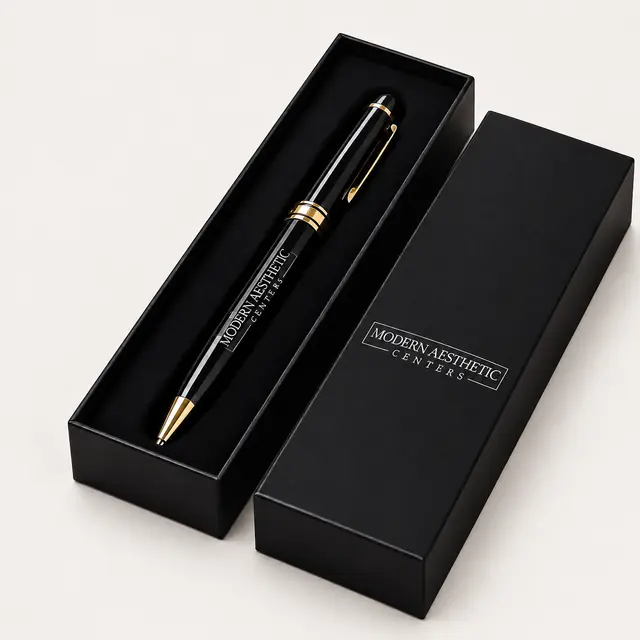
A project may include a pen barrel, PU flap, box lid and card. Each needs a separate position and process decision. Reusing the logo master does not mean every surface uses the same decoration file or method.
- Product model and the surface being decorated.
- Artwork filename and version assigned to that surface.
- Proposed size and a placement reference.
- Reading direction and intended presentation position.
- Color or finish reference and any approved simplified logo.
- Separate wording, language or regional variant.
For a pen, show orientation; for a folder, show the closed item and usable branding area. The pen approval guide and the materials comparison explain those surface differences.
Identify the version and what changed
Use a project name and explicit version, such as PartnerKit_PenLogo_v03, instead of several files named final. Record whether a revision changes the artwork, color, position, wording or model. A new recipient card should not silently replace approved pen artwork.
- Name the team or person authorized to approve brand use.
- Keep the master and preview with the same version reference.
- Record supplier-proposed adjustments for approval before use.
- Approve the proof or sample against that version.
- Keep accepted files and the approval record together for reorders.
A screen color is a reference, rather than proof of the result on another material. If a physical color or finish standard is required, name it and agree how it will be checked.
Use the inquiry upload for a starting reference
The form accepts one JPG, PNG or PDF and displays the current upload limit. A preview can start the conversation while a master file is handed off separately. If the only master is AI, EPS, SVG or another format, mention that in the message rather than renaming its extension to pass the upload check.
An attachment can be removed so the brief can be sent first. Ask how to provide larger or additional artwork through the established email contact or WhatsApp channel. Confirm that your team is authorized to use third-party brand assets before sharing them.
Download a concise artwork handoff brief
Fill in what is known and mark unresolved points clearly. Paste the completed brief into the inquiry or send it with the artwork handoff. This text template is a planning aid, rather than an artwork upload.
Project / occasion:
Product model and surface:
Quantity and versions:
Artwork owner and approver:
Master artwork filename and version:
Preview filename:
Requested logo method:
Logo position and proposed size:
Reading direction:
Color / finish reference:
Separate case, box or card artwork:
Sample approval scope:
Open questions:
Delivery country, postal code and required arrival date:
Artwork handoff questions
Is every PDF a vector logo?
No. PDF can contain vector and raster content. Review its actual contents; the extension alone does not establish scalable vector artwork.
Can an inquiry start with a screenshot?
A clear screenshot can show the intended appearance. Identify it as a reference and arrange a better master or an approved reconstruction if the chosen process requires one.
Should fonts be outlined?
Ask what preparation the production workflow needs. Where text is converted to outlines, retain an editable master and confirm wording before approving the outlined version.
Does artwork approval approve the physical product?
It covers the scope stated on the proof. It does not automatically approve material, dimensions, loaded packing or performance; record those approvals separately.